
Transaction management for Canadian deals.
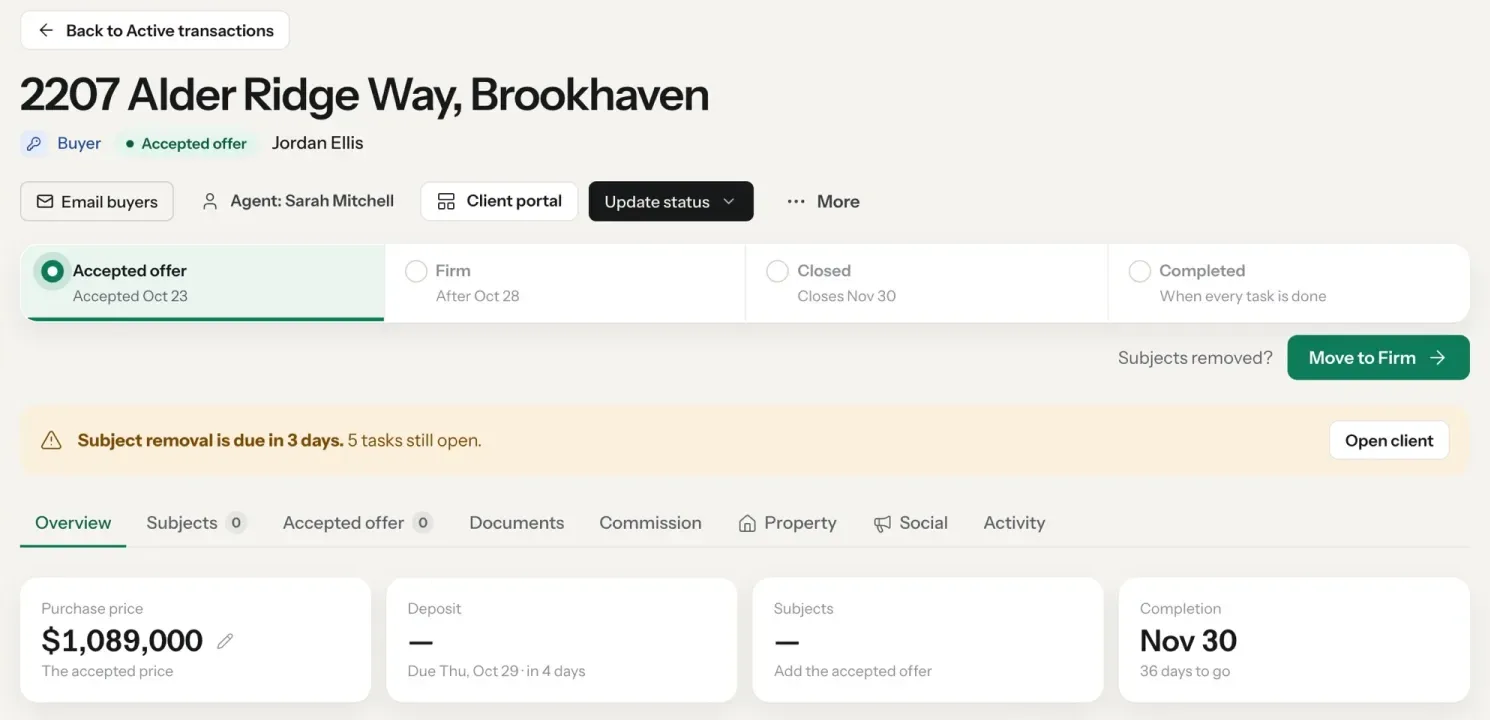
Upload the accepted offer. Keyvera fills in the price, subjects, deposit, completion and possession, then gives every task a due date.
No credit card required · Cancel any time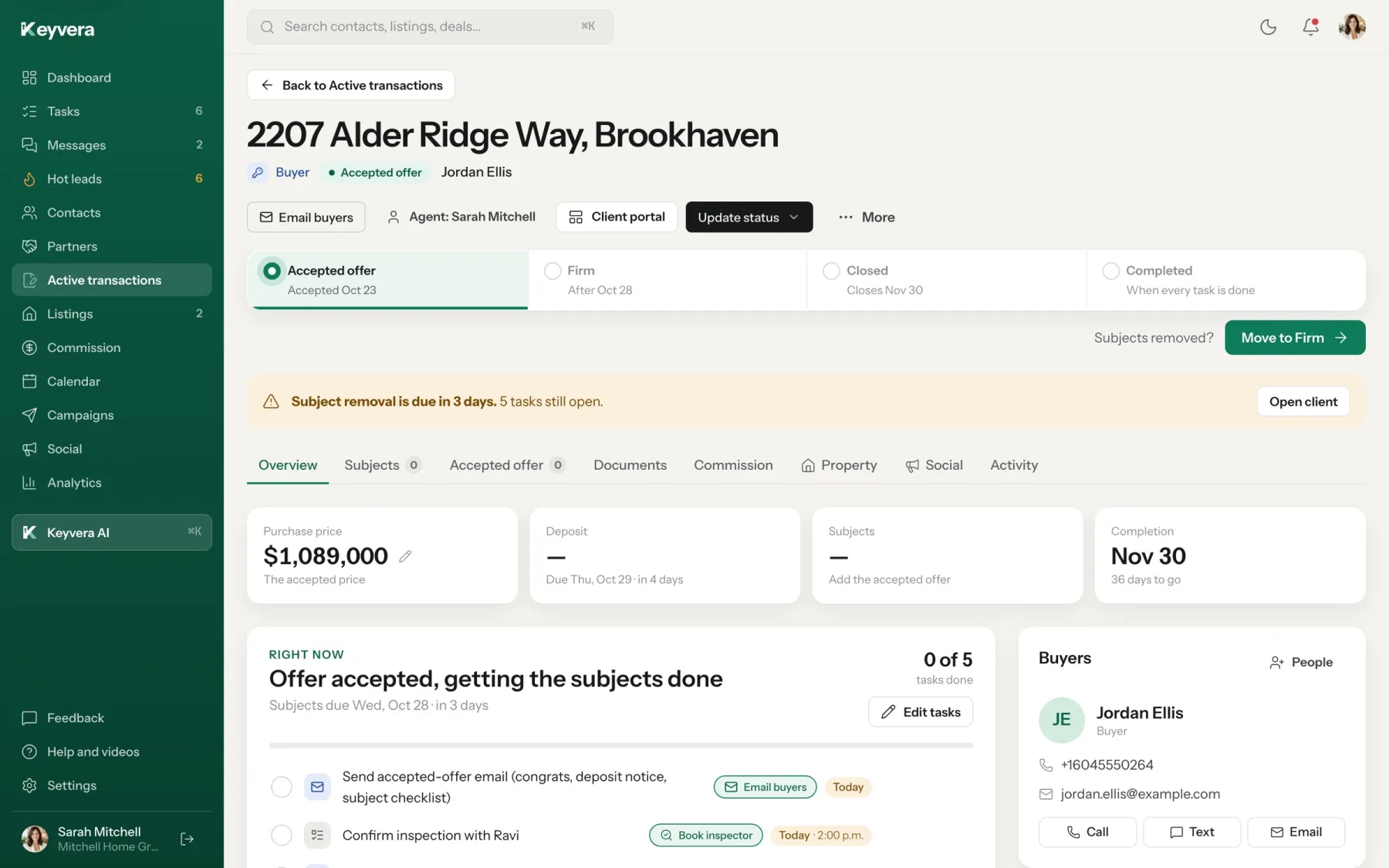
From signed offer to keys
- 1
Upload the contract
Drop in the signed PDF. Keyvera reads the address, price, dates, subjects and buyers, and you check each one before anything saves. Values that were crossed out and rewritten by hand are flagged for a second look.
- 2
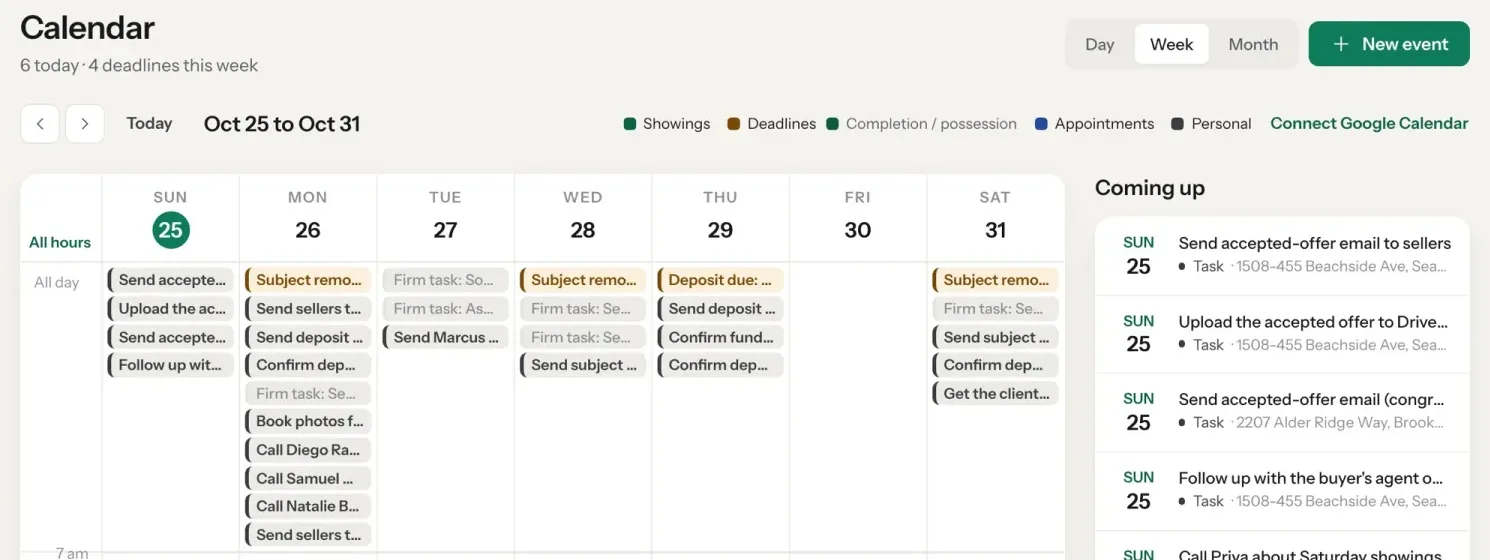
Every date reaches your calendar
Key dates show on Keyvera's calendar, and on Google Calendar or Outlook Calendar once you connect one. Move a date on the deal and its open tasks move too.
- 3
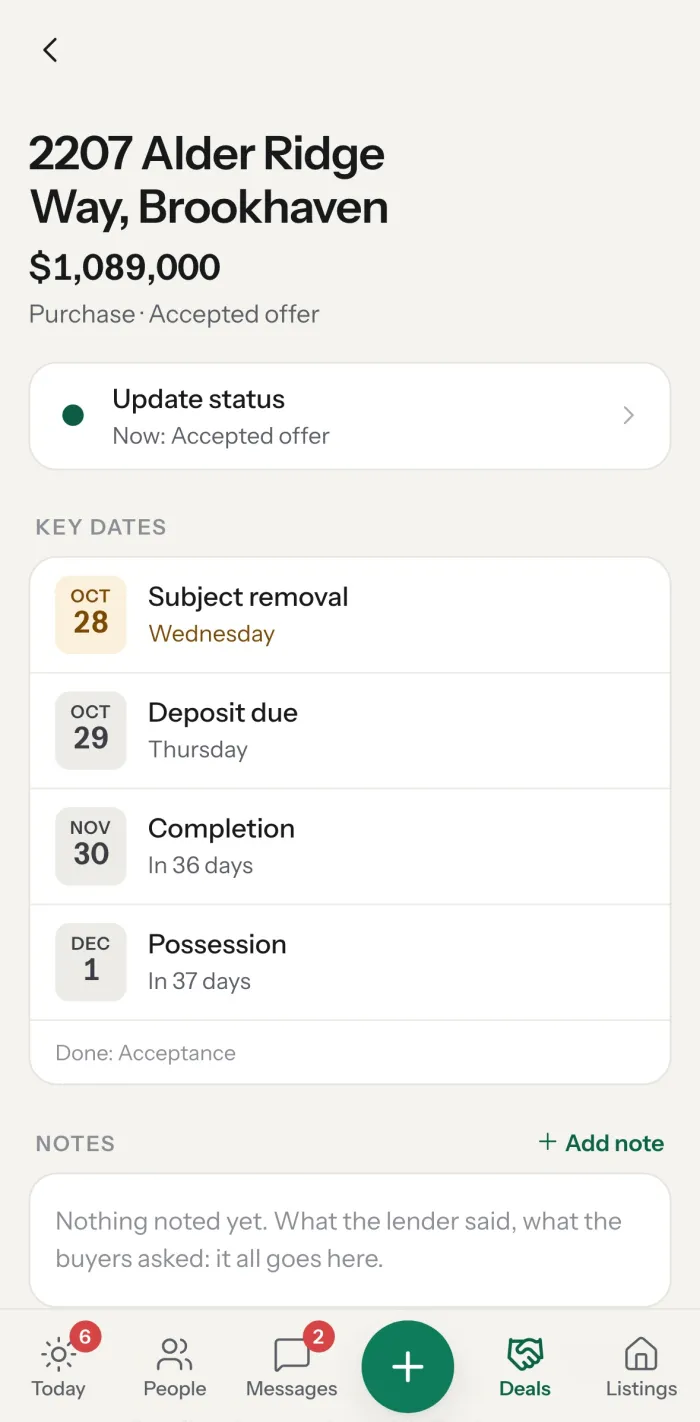
Work it from your phone
See the next deadline, tick off tasks and call anyone on the deal between showings.
Made for subjects, not escrow
Subjects, one by one
Track financing, inspection, strata documents and anything else as open, satisfied or waived. Each subject can have its own due date.
Business days
Set a task for two business days before subject removal and it skips weekends and BC statutory holidays.
Your own checklists
Edit the tasks and timing for listings and purchases once, and every new deal starts with them.
Extensions
Move subject removal and the open tasks tied to it follow. Tasks you dated by hand stay put.
A folder for each deal
Connect a Google Drive or Dropbox folder, so documents stay in your own storage.
Client emails
Moving a deal to a new stage offers a ready email for your clients. You review it before it goes.
What it doesn't do
Keyvera doesn't fill in forms or handle e-signing. Keep using Authentisign, DocuSign, WEBForms or whatever your brokerage uses, then upload the signed contract. Business days follow BC holidays in every workspace for now. Always check the dates against your contract.
Questions
Which contracts can Keyvera read?
Purchase contracts from BC, Ontario, Alberta and more, as the original PDF, a scan or a phone photo. You check every detail before it saves, and you can always type the dates in yourself.
What happens if subject removal is extended?
Change the date on the deal. Open tasks tied to it move with it, and the event on your connected calendar updates. Finished tasks and tasks you dated by hand stay where they are.
Can subjects have different due dates?
Yes. Inspection can be due before financing, for example. A subject with its own date stays there when the main subject removal date moves.
Can I change the checklists?
Yes, in Settings. You can edit the tasks, when they are due and the order they come in.
Can my assistant work on deals?
Yes. An assistant has their own sign-in for $20 CAD a month and works the same deals and tasks. Assistants never see commission.
More in Keyvera
Commission tracking
Your take-home on every deal after split and fees, with GST or HST kept separate.
See how it worksClient portal
A private page for every deal that shows clients what's next and every key date.
See how it worksOpen house sign-in
A QR sign by the door that turns visitors into contacts, with a follow-up call waiting.
See how it worksKeyvera AI
AI that reads contracts, answers questions about your business and works with Claude or ChatGPT.
See how it worksHow to track subject removal and condition deadlinesWhat to look for in a CRM in BCSee pricing