

Commission tracking for Canadian agents.
See what you take home on every deal after your split and fees, what is firm, what is pending and how close you are to your goal.
No credit card required · Cancel any time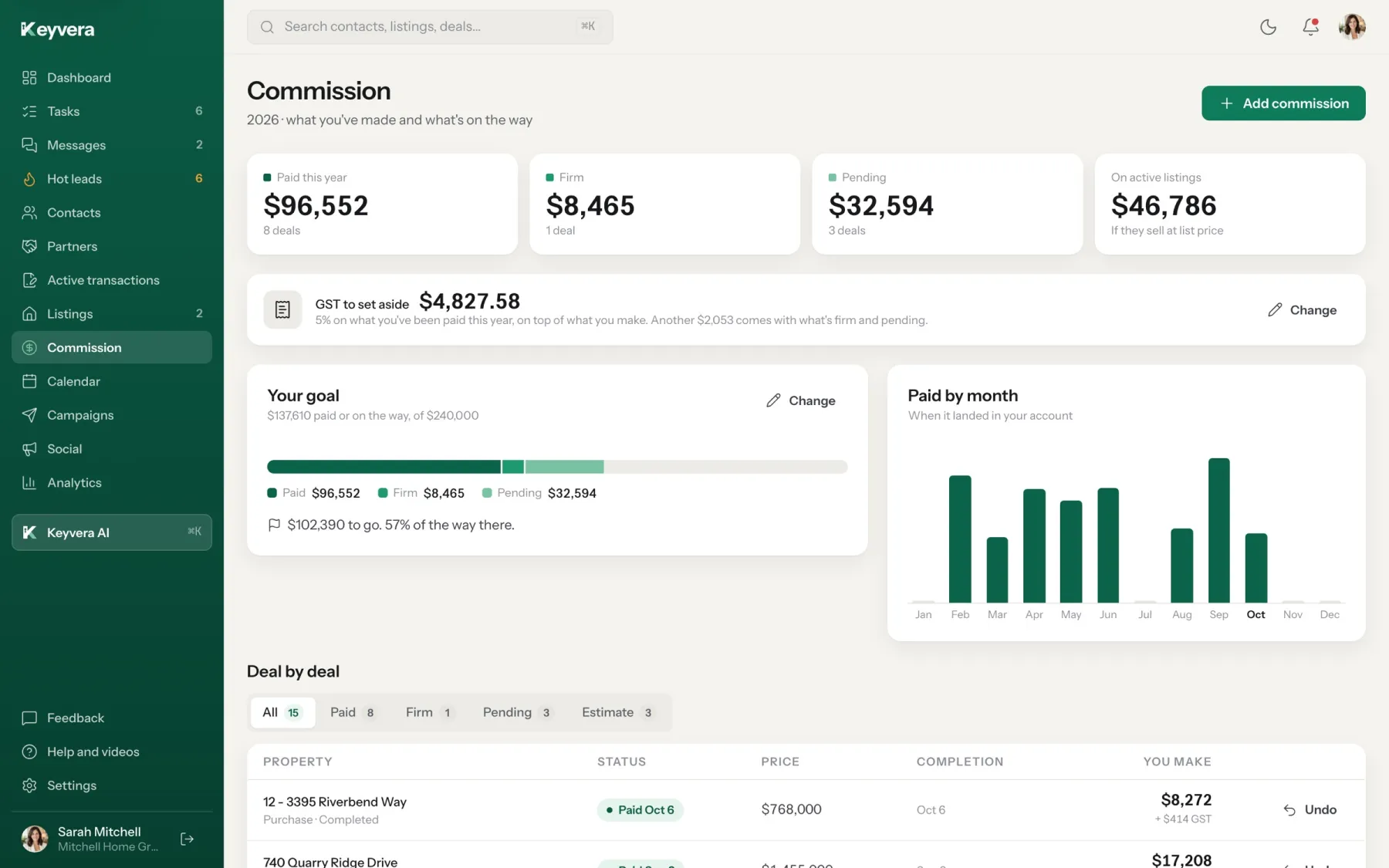
Set it up once
- 1
Add your usual numbers
Enter your brokerage split, typical fees and standard rates in Settings. Rates can be BC's first $100,000 and balance, a flat percentage or a flat amount. Every new deal starts from them.
- 2
See your year at a glance
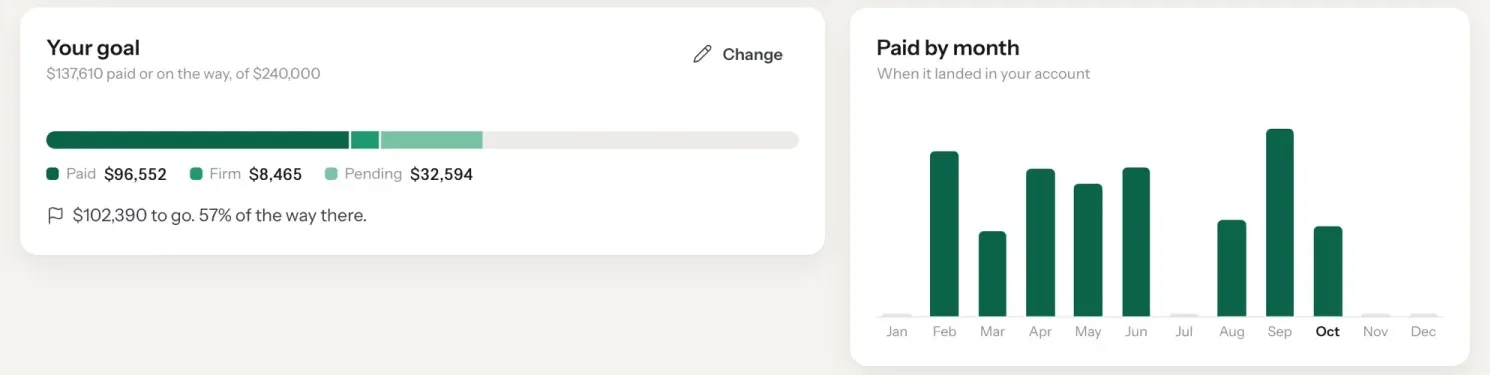
Paid, firm and pending totals add up as your deals move, along with what your active listings would bring in at list price.

- 3
Enter the statement, mark it paid
When the brokerage statement arrives, enter the exact amount and mark the deal paid. The amount locks in and counts toward your goal and the month it landed.
The parts a spreadsheet makes hard
GST and HST, kept apart
The rate starts at your province's, and tax shows beside your commission. It is never counted as income.
What to set aside
Once you turn tax on, see the GST or HST on what you have been paid this year, plus what is still coming.
Changes on one deal
Use a different rate, split or fee on a single deal, or add a referral.
Deals from elsewhere
Add commission by hand for a referral, a bonus or a deal you closed before Keyvera.
Past years
Pick a year to see what was paid in it and anything never marked paid.
Private on a team
Agents see only their own commission. Team leads and managers see everyone's. Assistants see none.
What it doesn't do
Keyvera doesn't file or remit GST or HST, track your expenses or replace your accountant. It shows what you made and the tax on it, so you can plan.
Questions
Does it work with tiered commission rates?
Yes. You can set one percentage on the first $100,000 and another on the balance, a flat percentage or a flat dollar amount, with separate standard rates for listings and purchases.
How are GST and HST handled?
Turn tax on and the rate starts at your province's, such as 5% GST in BC and Alberta or 13% HST in Ontario. You can change it. Tax is shown beside your commission, never added to it.
When does a deal count as paid?
When you mark it paid on its Commission tab. Until then it is firm, pending or an estimate.
Can I include deals that aren't in Keyvera?
Yes. Use Add commission for a referral fee, a bonus or a deal from before you joined.
Can my assistant see what I make?
No. Assistants never see commission, on a deal or on the Commission page.
More in Keyvera
Deal dates and transactions
Upload the accepted offer. Keyvera reads the dates, lines up the tasks and puts it all on your calendar.
See how it worksClient portal
A private page for every deal that shows clients what's next and every key date.
See how it worksOpen house sign-in
A QR sign by the door that turns visitors into contacts, with a follow-up call waiting.
See how it worksKeyvera AI
AI that reads contracts, answers questions about your business and works with Claude or ChatGPT.
See how it worksHow to track commission and GST as a Canadian agentSee pricing