
Open house sign-in that follows up.
Visitors scan a sign and sign in on their own phone. They get the listing, and you get a contact with their answers and a call task for the next day.
No credit card required · Cancel any time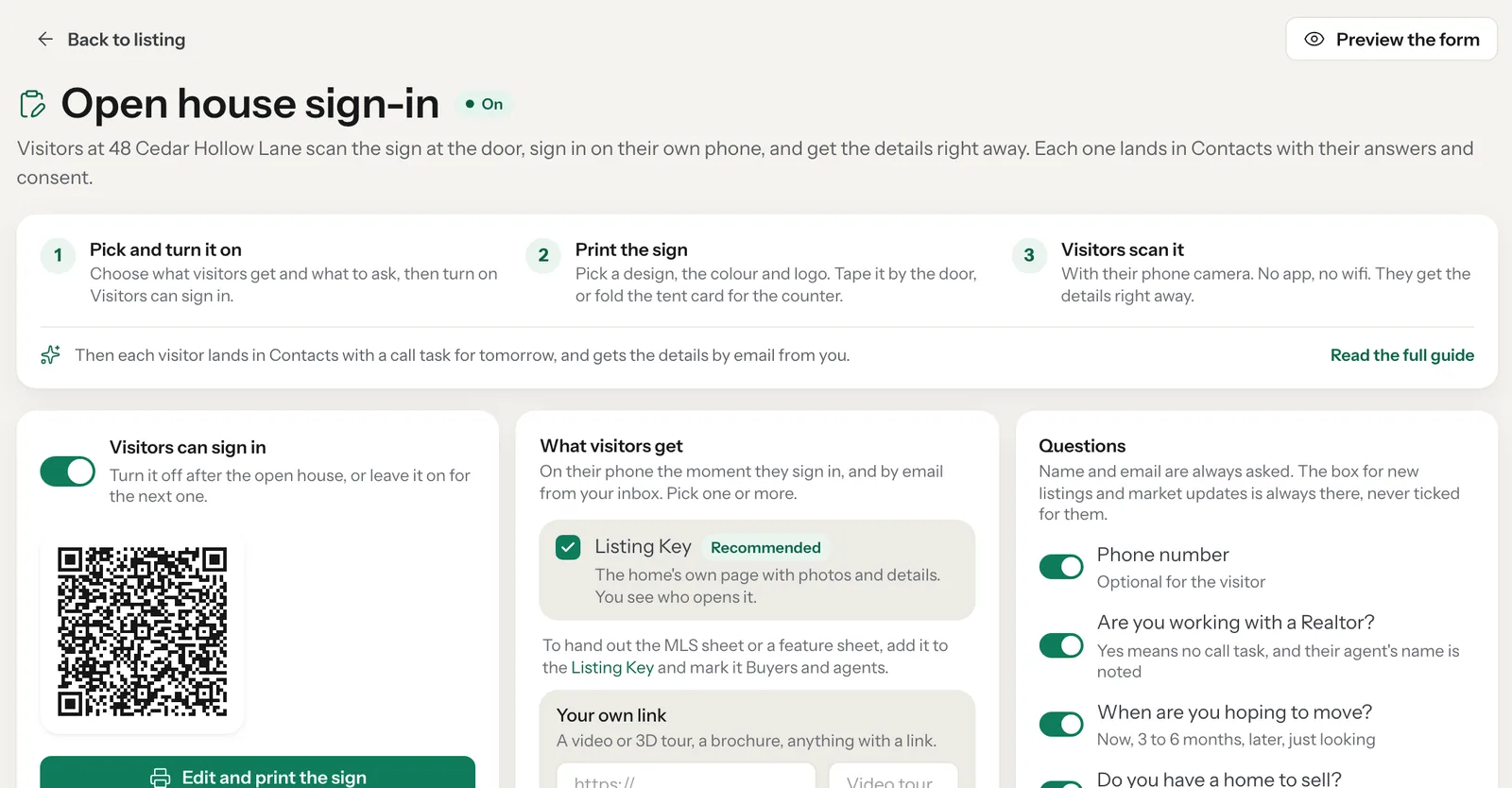
Ready before the first visitor
- 1
Choose what to ask and give
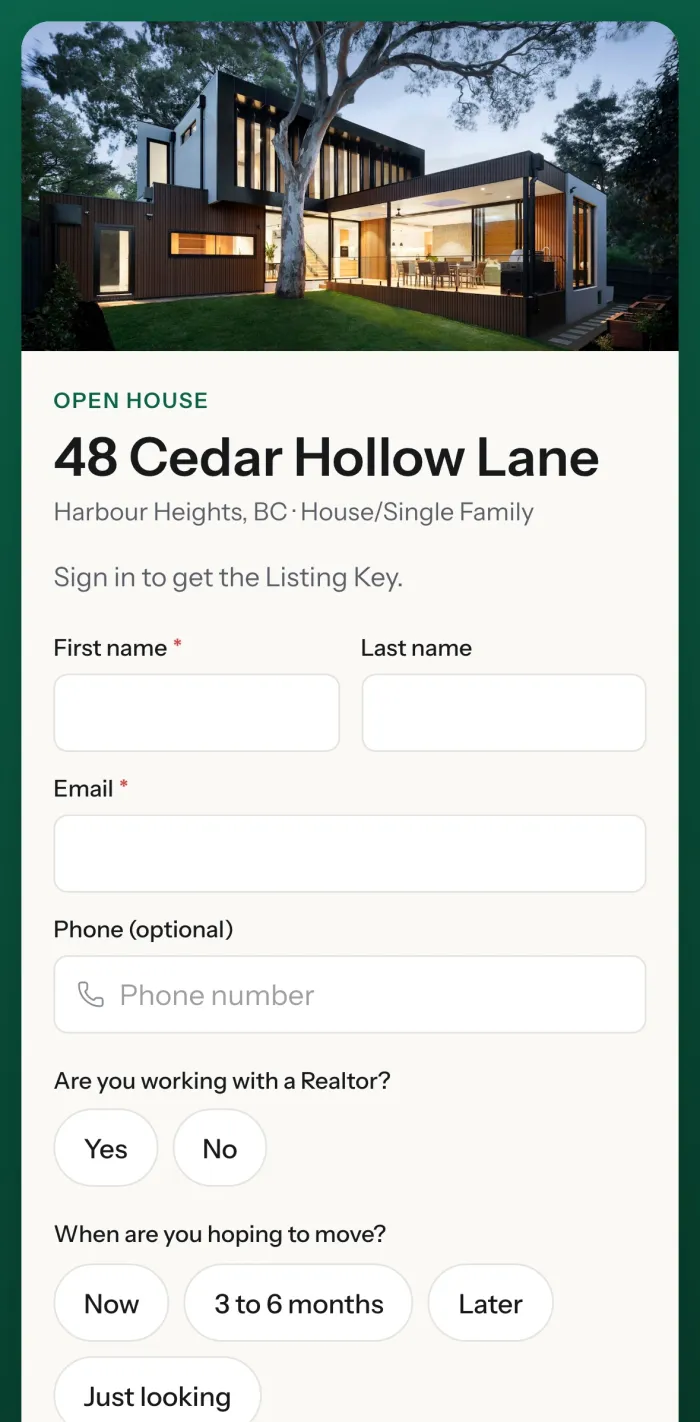
Name and email are always asked. Add a phone number, whether they have an agent, when they hope to move and if they have a home to sell. Then pick what they get: the listing page, a document or your own link.
- 2
Print the sign
Five designs, as a full page, two half pages or a tent card, with your colours, photo and logo. One sign works for every open house on that listing.
- 3
Visitors sign in on their own phone
They need no app and no wifi. You can also set up an iPad at the door or hand over your phone.
What happens after they sign in
They land in Contacts
Each visitor is added with Open house as the source and their answers on the timeline.
A call task for tomorrow
Anyone without an agent becomes a call task for the next day. For visitors who have one, the agent's name is noted instead.
They get the listing
What you picked shows on their phone and goes out by email from your connected Gmail or Outlook.
CASL consent recorded
Signing in is recorded as an inquiry. The box for new listings and market updates is never ticked for them.
Live list on your phone
See who has signed in while you are still at the house.
Made for teams
Pick which team member's name, photo and number appears for a shared listing.
What it doesn't do
Sign-in records what visitors tell you. It doesn't verify who they are, and it doesn't identify anyone for FINTRAC. It works from a listing in your Keyvera account with its Listing Key turned on.
Questions
Do visitors need an app?
No. They scan the QR code with their phone's camera and fill in a short page in the browser.
What if a visitor doesn't want to use their phone?
Set up an iPad at the door, or hand them your phone with the same form on it. An iPad needs wifi or your hotspot.
Can I email visitors after the open house?
Signing in counts as an inquiry, which is implied consent for 6 months under CASL. Ticking the updates box is express consent. Keyvera records which one you have. Following CASL is still your responsibility.
Do I need a new sign for each open house?
No. One sign works for every open house on that listing.
Can I use my brokerage's logo?
Yes. Use your brokerage's logo, your own or none.
More in Keyvera
Deal dates and transactions
Upload the accepted offer. Keyvera reads the dates, lines up the tasks and puts it all on your calendar.
See how it worksCommission tracking
Your take-home on every deal after split and fees, with GST or HST kept separate.
See how it worksClient portal
A private page for every deal that shows clients what's next and every key date.
See how it worksKeyvera AI
AI that reads contracts, answers questions about your business and works with Claude or ChatGPT.
See how it works