
A real estate client portal that answers first.
Give buyers and sellers one private link with what's next, every key date, their documents and the people helping. They don't need an account or an app.
No credit card required · Cancel any time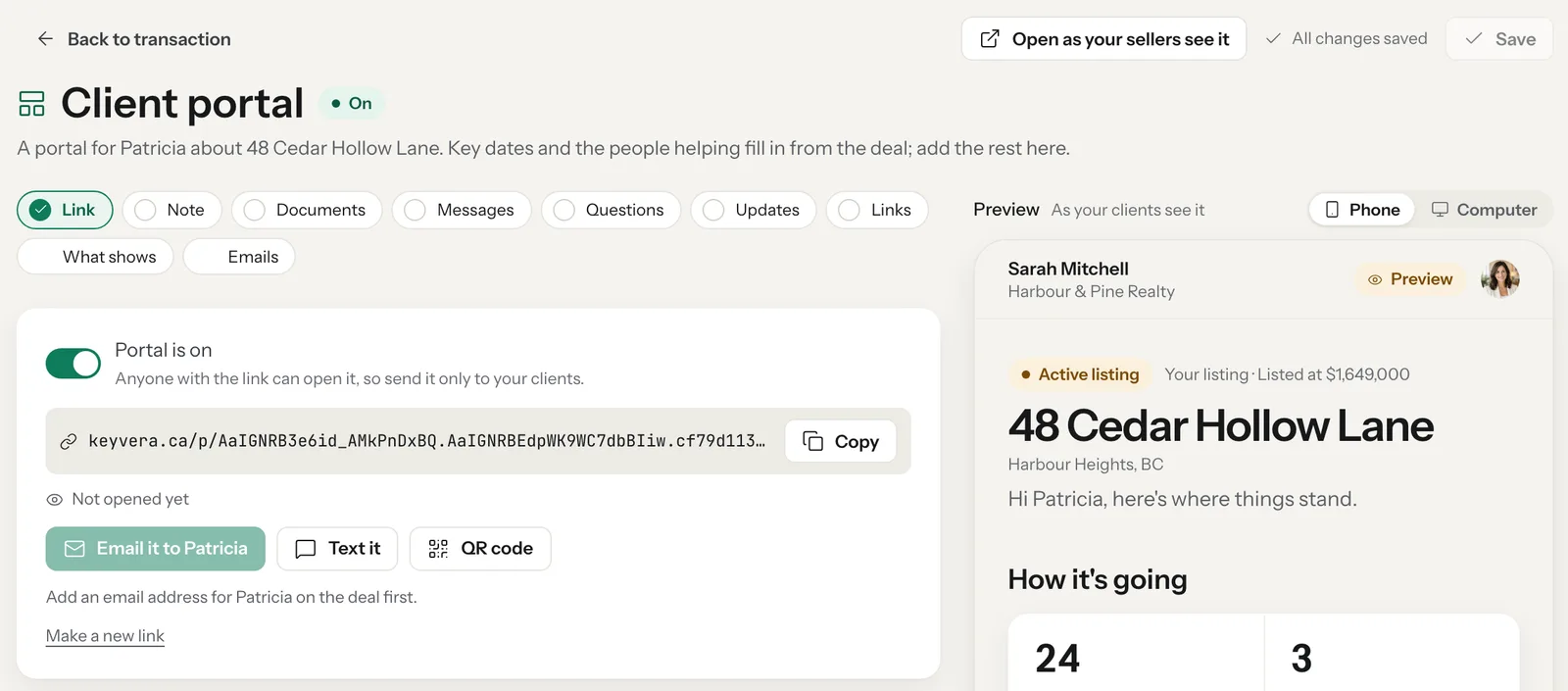
How it works
- 1
It starts from the deal
Key dates and the people on the deal fill in for you. Add a note, documents, questions or links, and preview the page the way your clients will see it.
- 2
Send the link
Email it, text it from your phone or show a QR code. Clients open it with no sign-in.
- 3
They see what's next
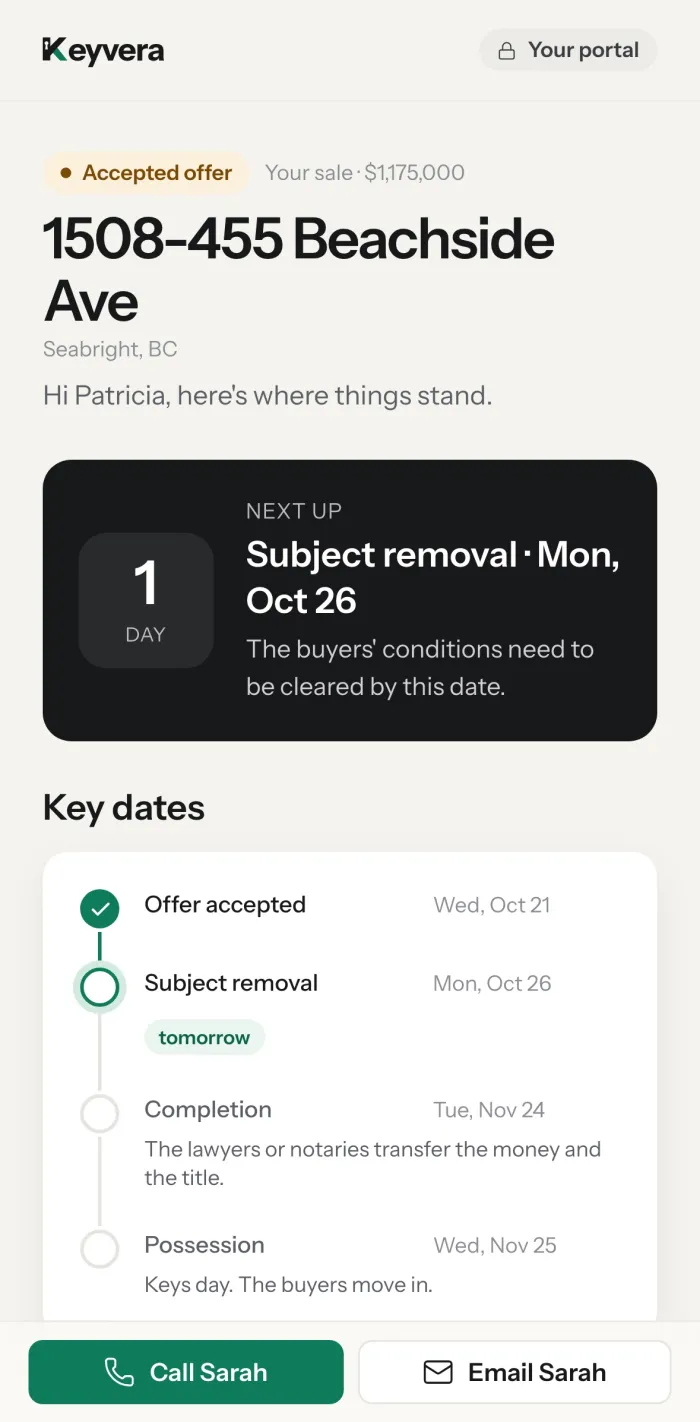
A countdown to the next key date, every date in order and one tap to call or email you. Change a date on the deal and the portal changes too.
Everything your client keeps asking for
Documents
Share the accepted offer, disclosure statement or strata documents straight from the deal's Google Drive or Dropbox folder.
Questions, both ways
Ask for their lawyer's name or anything else you need. They can ask you questions too, and you get an email.
One email with what's new
Make as many changes as you like, then send one update from your own Gmail or Outlook. Saving never emails them.
Listing activity for sellers
Show days on market, listing page viewers and open house sign-ins as numbers, never names.
Your brand
Your brokerage logo and headshot sit at the top, with no Keyvera credit on the page.
See if they opened it
Know when the portal and each document was last opened.
What stays private
The portal never shows your notes, tasks, commission or the other side's agent, and it only shows documents you add. Anyone with the link can open it, so send it only to your clients. You can turn it off or make a new link any time.
Questions
Do clients need to create an account?
No. They open a private link on any phone or computer, with no sign-in and no app.
Can clients upload documents?
No. They can view and download what you share, answer your questions and ask you theirs.
Are clients emailed every time I change something?
No. Emailing them is always your choice. Keyvera collects what's new and you send it in one email when you're ready.
Does it work for sellers as well as buyers?
Yes. Listings and purchases both get one, and sellers can see listing activity.
How long does a portal stay open?
It closes on its own 60 days after possession. You can turn it off sooner.
More in Keyvera
Deal dates and transactions
Upload the accepted offer. Keyvera reads the dates, lines up the tasks and puts it all on your calendar.
See how it worksCommission tracking
Your take-home on every deal after split and fees, with GST or HST kept separate.
See how it worksOpen house sign-in
A QR sign by the door that turns visitors into contacts, with a follow-up call waiting.
See how it worksKeyvera AI
AI that reads contracts, answers questions about your business and works with Claude or ChatGPT.
See how it works